Charted: Zero-Dependency SVG Charting for Python
Create beautiful, publication-quality SVG charts with zero runtime dependencies.
pip install charted
Why Charted?
Pure Python stdlib. No numpy, pandas, matplotlib, or seaborn required. Charts render as clean SVG strings.
Publication-quality SVG with proper typography, color contrast, and responsive design built-in.
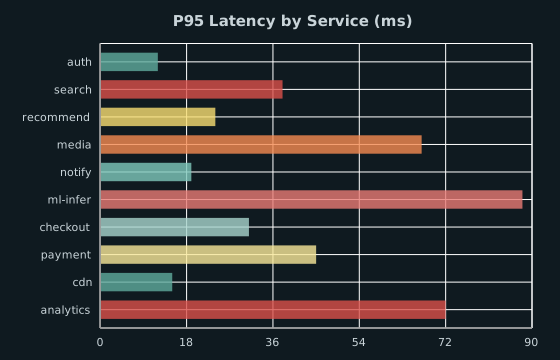
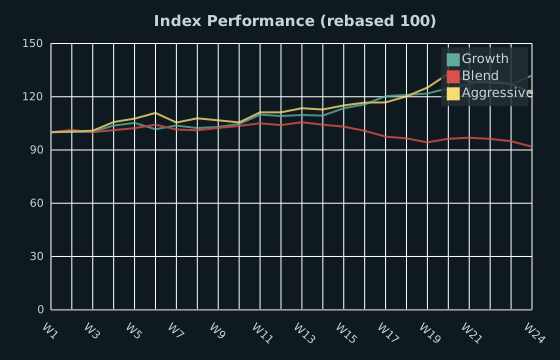
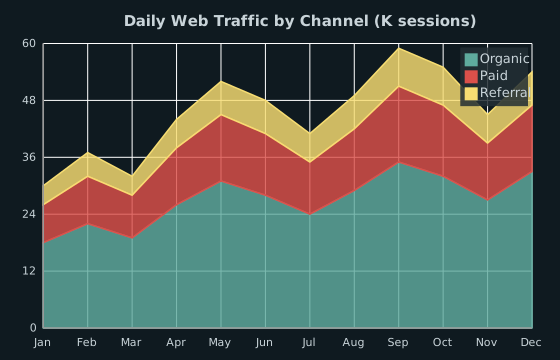
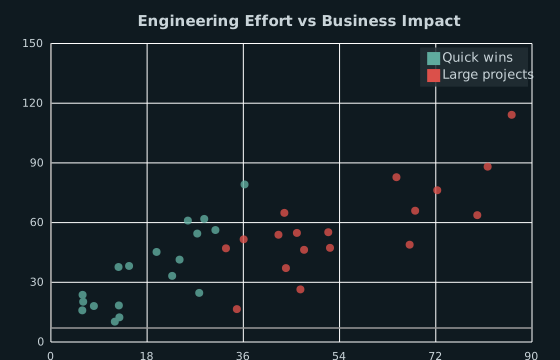
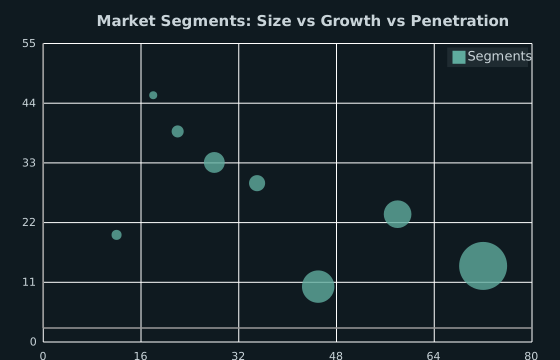
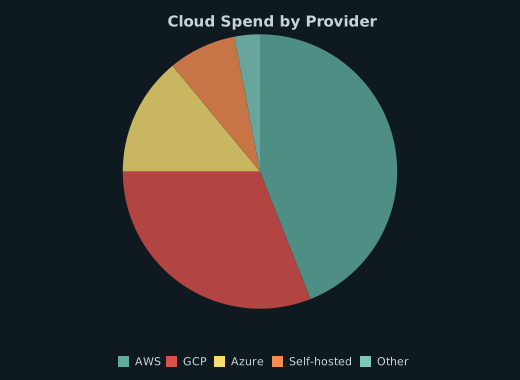
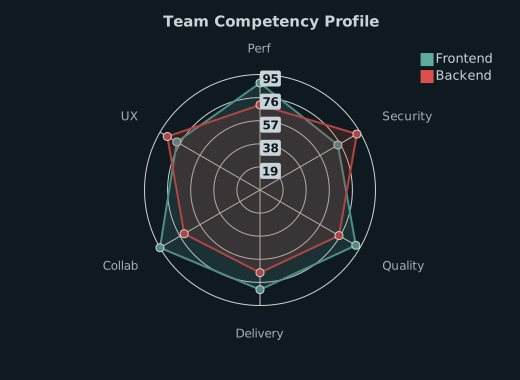
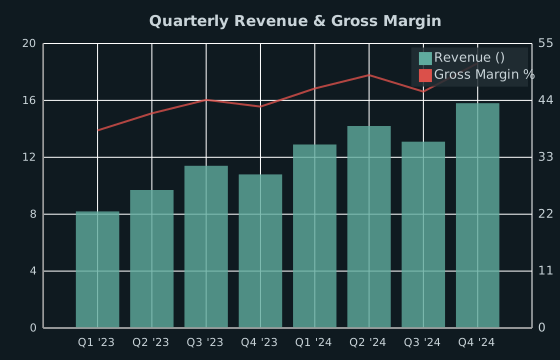
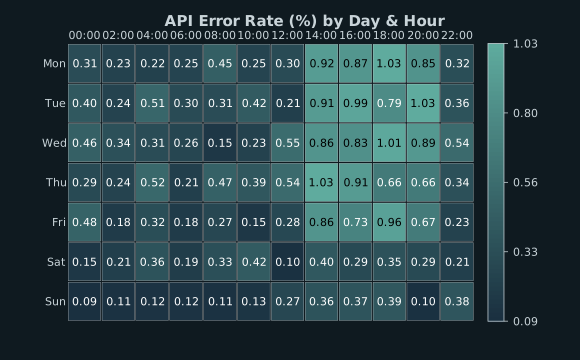
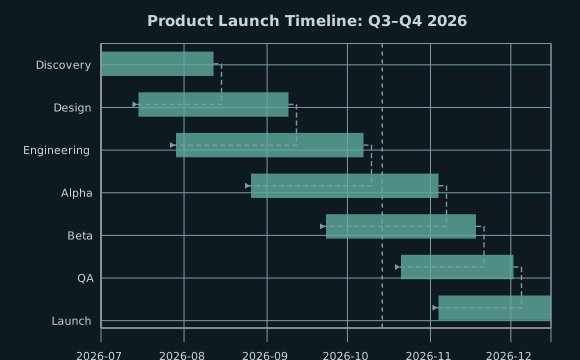
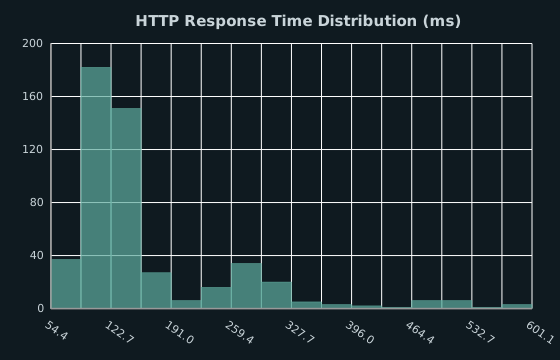
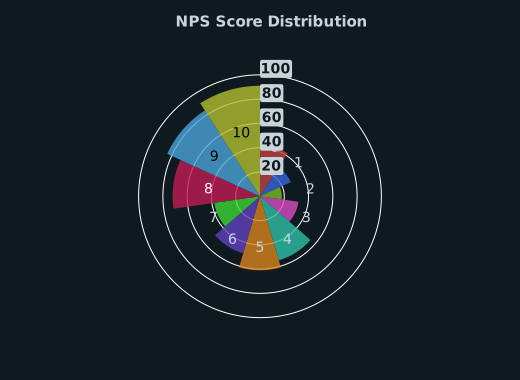
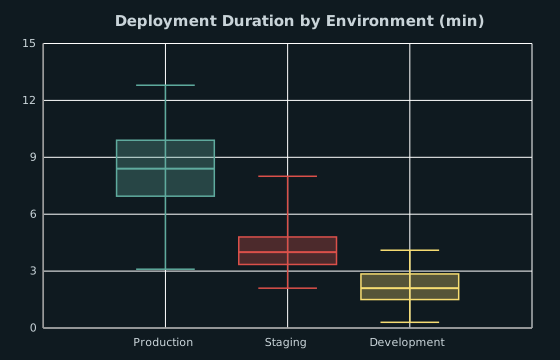
Bar, Column, Line, Scatter, Pie, Radar, Area, Bubble, Combo, HeatmapChart, Gantt, Histogram, Polar Area, Box Plot.
Create a chart in 3 lines:
from charted import BarChart
chart = BarChart(data=[120, 180, 210], labels=["Q1", "Q2", "Q3"])
chart.save("sales.svg")
Built-in light/dark/high-contrast themes plus full custom theme support.
Charts render inline automatically. No extra configuration needed.
Quick Start
from charted import BarChart, ColumnChart, LineChart
# Bar chart
bar = BarChart(
data=[120, 180, 210, 150],
labels=["Q1", "Q2", "Q3", "Q4"],
title="Sales by Quarter"
)
bar.save("bar.svg")
# Column chart
column = ColumnChart(
data=[120, 180, 210, 150],
labels=["Q1", "Q2", "Q3", "Q4"],
title="Sales by Quarter"
)
column.save("column.svg")
# Line chart
line = LineChart(
data=[120, 180, 210, 150],
labels=["Q1", "Q2", "Q3", "Q4"],
title="Sales Trend"
)
line.save("line.svg")
# Create a bar chart from CSV
python -m charted create bar sales.svg --data sales.csv
# Batch process multiple files
python -m charted batch ./data ./output
# See all options
python -m charted --help
from charted import BarChart
# Just create a chart: it renders inline
BarChart(
data=[120, 180, 210, 150],
labels=["Q1", "Q2", "Q3", "Q4"],
title="Sales by Quarter"
)
Chart Types
Features
Multi-Series Support
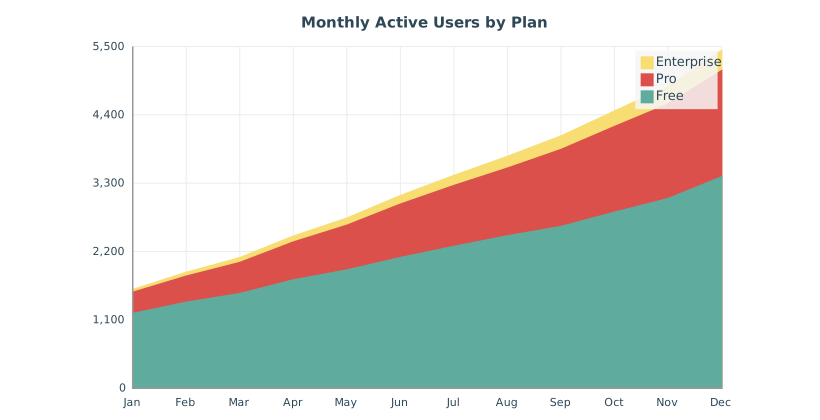
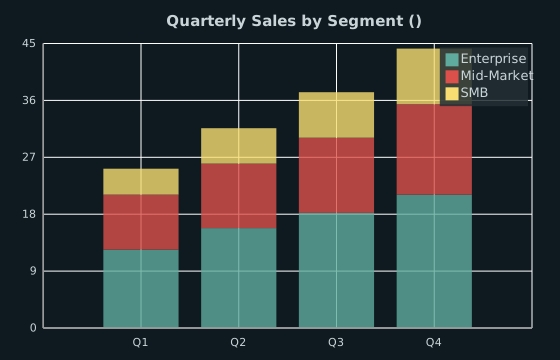
Stacked, side-by-side, or grouped layouts for comparing multiple data series.
from charted import ColumnChart
data = [
[120, 180, 210, 150], # 2023
[130, 190, 220, 160], # 2024
]
chart = ColumnChart(
data=data,
labels=["Q1", "Q2", "Q3", "Q4"],
series_names=["2023", "2024"],
title="Sales Comparison"
)
chart.save("multi.svg")
Negative Values Handled
Proper zero baseline calculations for data with negative values.
from charted import ColumnChart
chart = ColumnChart(
data=[120, -80, 210, -150],
labels=["Q1", "Q2", "Q3", "Q4"],
title="Profit/Loss"
)
chart.save("negative.svg")
Theming
Built-in themes plus full custom theme support.
from charted import BarChart
# Use built-in theme
chart = BarChart(
data=[120, 180, 210],
labels=["Q1", "Q2", "Q3"],
theme="dark" # or "light", "high-contrast"
)
# Or custom theme
chart = BarChart(
data=[120, 180, 210],
labels=["Q1", "Q2", "Q3"],
theme={
"colors": ["#FF6B6B", "#4ECDC4", "#45B7D1"],
"background_color": "#1a1a2e",
"grid_color": "#ffffff20"
}
)
Data Loading
Load CSV/JSON without pandas.
from charted import load_csv, BarChart
x, y, labels = load_csv("sales.csv", x_col="Quarter", y_col="Revenue")
chart = BarChart(data=y, labels=x, title=labels[0])
chart.save("sales.svg")
Markdown Export
Generate embed-ready markdown for documentation.
from charted import BarChart
chart = BarChart(data=[120, 180, 210], labels=["Q1", "Q2", "Q3"], title="Sales")
chart.save("docs/sales.svg")
md = chart.to_markdown(path="docs/sales.svg")
# Output: 
Documentation
Getting Started
Chart Types
API Reference
Resources
- Feature parity roadmap
- Scope and non-goals
- How the codebase is laid out (the parts that change)
- 1. Log and time scales
- 2. Mixed chart type (bar + line on shared axes)
- 3. Curve interpolation for line and area
- 4. Bubble and polar area chart types
- 5. Annotation primitive
- 6. Opt-in interactivity in
to_html()(SVG<title>tooltips) - 7. Continuous sequential/diverging color interpolation
- Suggested sequence
- CHANGELOG
License
MIT License: See LICENSE for details.
Community
—
Built with ❤️ by Andryo Marzuki