Box Plots
Box plot showing distribution quartiles, median, and outliers for data series. Displays minimum, Q1, median, Q3 (interquartile range), and maximum for each group, making it easy to compare distributions side by side.
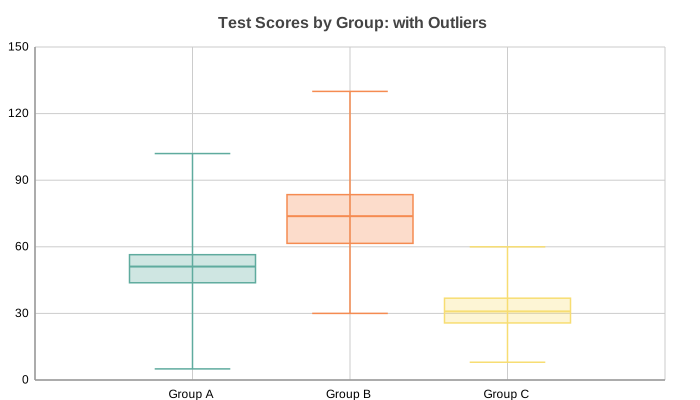
Basic Usage
Single group box plot:
from charted.charts import BoxPlot

chart = BoxPlot(
    data=[[1, 2, 5, 7, 10]],
    labels=["Group A"],
    title="Single Distribution",
)
chart.save("boxplot.svg")
Comparing Multiple Groups
Compare distributions across multiple groups:
chart = BoxPlot(
    data=[
        [4, 5, 3, 6, 7, 8, 4, 6],
        [2, 4, 3, 5, 7, 8, 9, 3],
        [6, 7, 9, 8, 10, 6, 8, 5],
    ],
    labels=["Control", "Treatment A", "Treatment B"],
    title="Test Scores by Group",
)
API Reference
- class charted.charts.box.BoxPlot(*args, **kwargs)[source]
Bases:
ChartBox plot showing distribution quartiles for data series.
- Parameters:
data (Vector2D) – List of series, each series is a list of values.
labels (Labels | None) – Labels for each box (categories).
width (float) – Chart dimensions in pixels.
height (float) – Chart dimensions in pixels.
title (str | None) – Optional chart title.
theme (Theme | None) – Optional theme configuration.
legend (str)
Example
>>> chart = BoxPlot(
...     data=[[1, 2, 3, 4, 5], [2, 3, 4, 5, 6]],
...     labels=['Group A', 'Group B'],
... )
Parameters:
data: List of lists; each inner list is raw data values for one grouplabels: Labels for each group (box)width: Chart width in pixel (default 800)height: Chart height pixels (default 600)theme: Theme string dicttitle: Chart title
Example:
from charted import BoxPlot

chart = BoxPlot(
    data=[
        [1, 2, 3, 5, 8, 8, 2],
        [4, 6, 7, 3, 9, 5, 8],
    ],
    labels=["Group A", "Group B"],
    title="Distribution Comparison",
)
chart.save("boxplot.svg")
- property representation: G
Render box plot elements.