Polar Area Charts
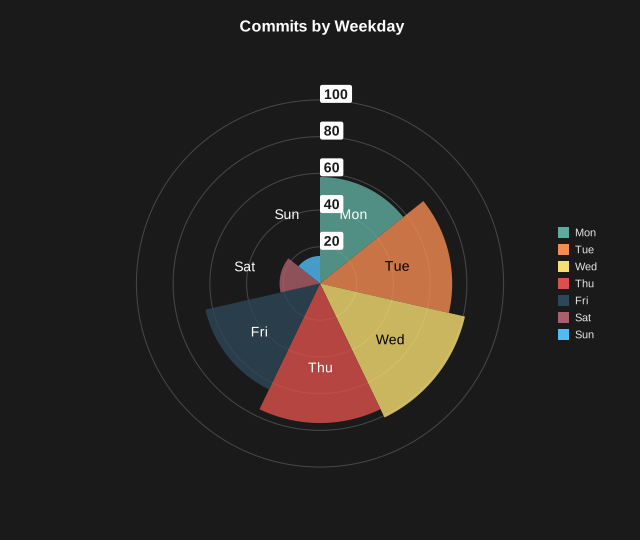
A pie chart variant where every slice spans an equal angle and the slice radius encodes the value. Larger values reach further out from the center, which makes magnitude differences easier to compare than slice angle alone.
Basic Usage
Pass a list of non-negative values, one per slice:
from charted.charts import PolarAreaChart

chart = PolarAreaChart(
    data=[10, 20, 30, 15, 25],
    labels=["A", "B", "C", "D", "E"],
    title="Activity by Category",
)
chart.save("polar_area.svg")
All slices share the same angular width of 360 / N degrees. Each slice’s radius is scaled by its value, with the smallest value still drawn as a visible sliver.
Rotation
Control the starting angle of the first slice:
chart = PolarAreaChart(
    data=[10, 20, 30, 15],
    labels=["N", "E", "S", "W"],
    start_angle=45,
)
Custom Colors
Override the default palette with a theme:
chart = PolarAreaChart(
    data=[10, 20, 30],
    labels=["A", "B", "C"],
    theme={
        "colors": ["#2ECC71", "#3498DB", "#E74C3C"]
    }
)
API Reference
- class charted.charts.polar_area.PolarAreaChart(*args, **kwargs)[source]
Bases:
PieChartPolar area chart: a pie where every slice spans an equal angle and the slice radius encodes the value.
Unlike a pie chart (slice angle encodes value), here all slices share the same angular width of
360 / Ndegrees, and each slice’s radius is scaled by its value so larger values reach further out.- Parameters:
data (Vector) – Non-negative values, one per slice.
labels (Labels | None) – Optional labels for each slice.
width (float) – Chart dimensions in pixels.
height (float) – Chart dimensions in pixels.
title (str | None) – Optional chart title.
theme (Theme | None) – Optional theme configuration.
start_angle (float) – Starting angle in degrees (0 = top, clockwise).
series_styles (list[SeriesStyleConfig] | None) – Optional per-slice styling overrides.
show_radial_labels (bool) – Draw numeric labels on the radial scale rings (default True).
radial_levels (int) – Number of concentric scale rings to draw (default 5).
show_percentages (bool)
legend (str)
Example
>>> from charted import PolarAreaChart
>>> chart = PolarAreaChart(
...     data=[10, 20, 30, 15],
...     labels=['N', 'E', 'S', 'W'],
... )
>>> chart.save('polar.svg')
Parameters:
data: Non-negative values, one per slicelabels: Labels for each slicewidth: Chart width in pixelsheight: Chart height in pixelstheme: Theme name string or theme dictionarytitle: Chart title textstart_angle: Starting angle in degrees (0 = top, clockwise)series_styles: Optional per-slice styling overridesshow_percentages: Show each slice’s percentage of the total
Example:
from charted import PolarAreaChart chart = PolarAreaChart( data=[10, 20, 30, 15, 25], labels=["A", "B", "C", "D", "E"], title="Activity by Category", theme="dark", # or "light", "high-contrast" ) chart.save("polar_area.svg") print(chart.to_markdown()) # 
- slice_radii()[source]
Return the rendered radius for each slice, scaled by value.
Linear from the centre to the nice axis maximum, so a slice of value v reaches exactly the ring labelled v.
- property representation: G
Render the pie chart.